Building a Desktop App Around Google Sheets
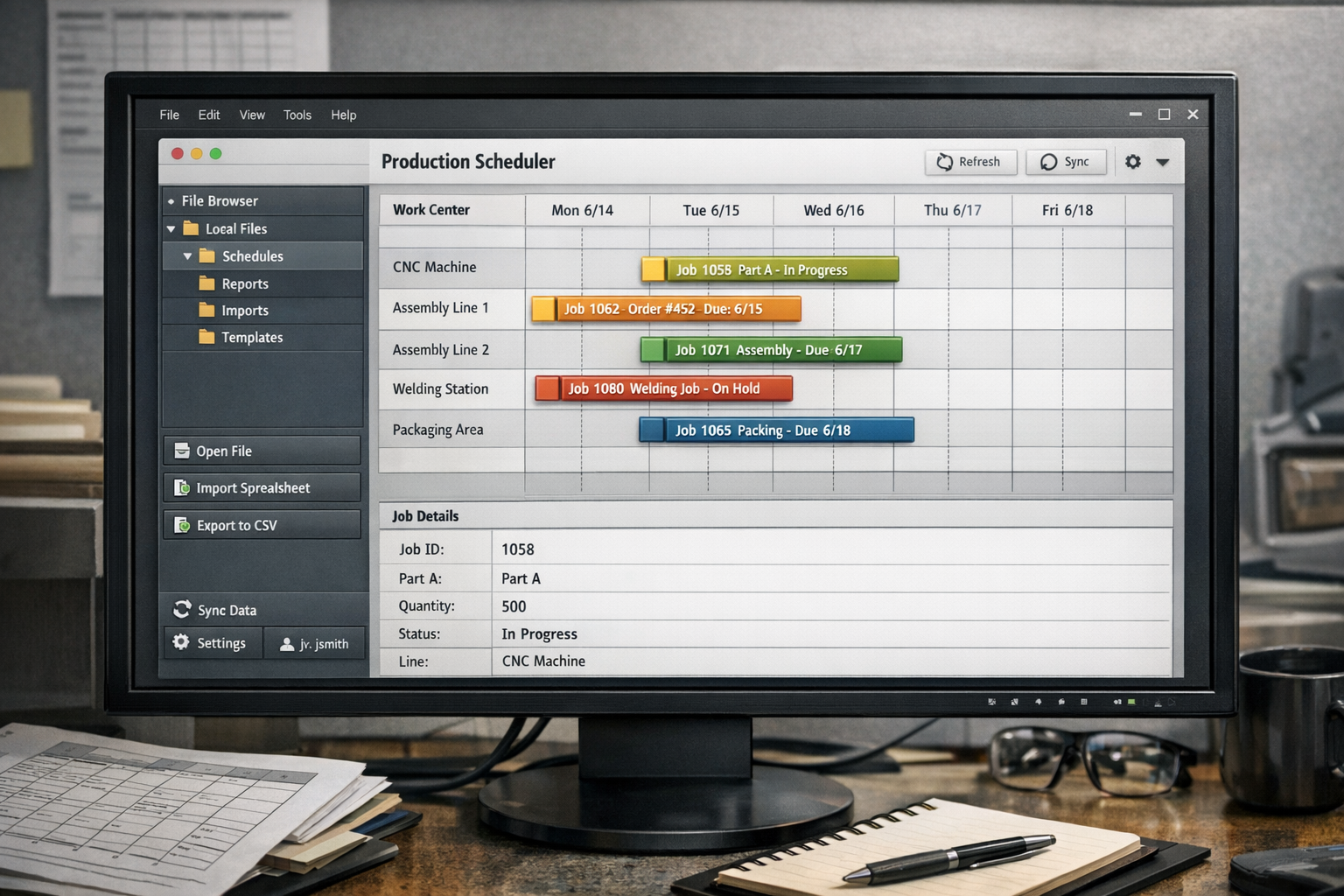
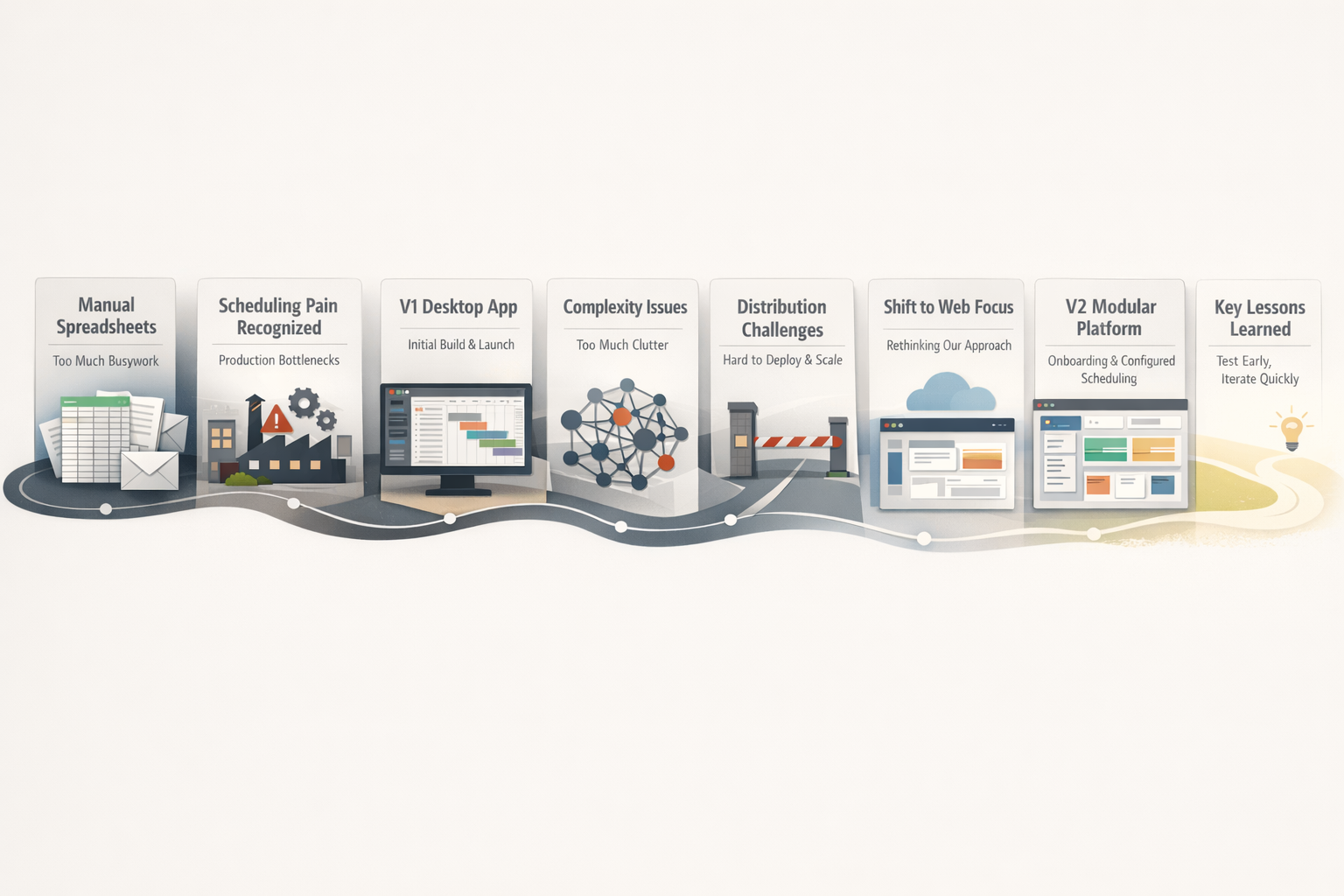
This project began after seeing a manufacturer manage production schedules through emailed Excel files, which exposed how much critical operational work was being held together by fragile spreadsheet workflows. It started as a desktop app built around those existing habits, but the bigger lesson was that the real challenge was not just replacing spreadsheets, it was reducing the friction of adoption. That led to a web-based version focused on easier onboarding, configuration, and reusable workflow views, with the project ultimately becoming a lesson in testing earlier and designing for usability before technical ambition.
When I moved to Washington after getting back from Australia, a client told me they were emailing Excel files back and forth to manage production schedules. Not a polished internal system, but just spreadsheets moving around between people because that was what they had.
That was the moment this project really started for me.
I didn’t begin with a big product thesis. I just thought there had to be a better way to handle something this central to how work moved through a business. The more I thought about it, the more obvious it felt that the scheduling problem was not really about one spreadsheet. It was about a fragile process built on top of tools that were doing more work than they were designed for.
So I started building.
V1 Started As A Desktop App Because That Was How I Was Thinking About The Problem
The first version was a desktop app, and in hindsight that choice makes perfect sense to me even if I would not make the same choice the same way now.
The people I was thinking about were already living in spreadsheet-shaped workflows. They were used to desktop tools, used to files, used to opening something local and working directly with data. At the same time, Tauri v2 had just come out, and I was excited to learn it. That mattered more than I admitted to myself at the time.
I was not only solving a problem. I was also following the momentum of a technical curiosity that happened to line up with the kind of workflow I was looking at.
That combination pushed me toward a desktop app that could work closely with spreadsheet data, local credentials, and scheduling logic. It felt practical. It felt close to the world the users were already in. It also let me learn a framework I had wanted to get my hands on.
I still think that instinct was understandable. What changed later was not that the idea was foolish. What changed was my understanding of where the real friction lived.
The Desktop App Taught Me More Than I Expected
I learned a lot from building the desktop version, especially because it forced me to deal with things I could have ignored for longer in a pure web build.
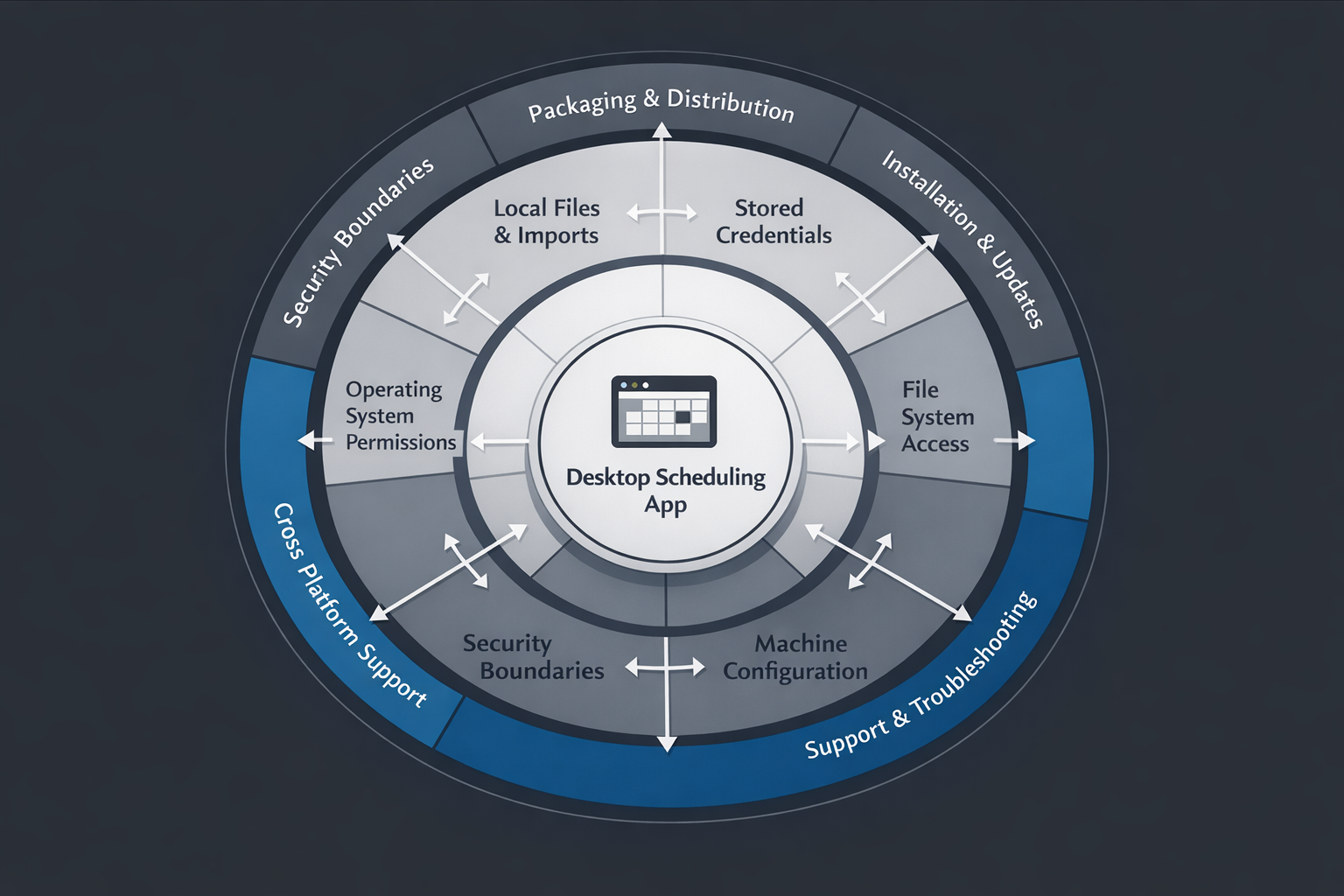
The hardest part was security and access.
That sounds broad, but it ended up touching everything. Once you are dealing with local files, credentials, operating system behavior, packaging, and permissions, a lot of the work stops being about your app’s happy path and starts being about the edges around it. That was even more noticeable because I was building on a Mac while thinking about a Windows environment.
There were a lot of unknowns. More importantly, there were a lot of unknown unknowns.
Some of that was platform-specific. Some of it was just the cost of building close to the machine. But either way, it changed how I thought about product scope. I was not only building scheduling logic or data flows. I was also taking on the realities of desktop distribution, local access, and cross-platform behavior.
That was valuable. I do not see the desktop version as wasted effort.
It taught me how much invisible complexity lives in the layer between “this app works on my machine” and “this is easy enough for someone else to adopt without help.” It also made me much more aware of how quickly technical enthusiasm can shape product direction before the product itself has earned that level of commitment.
Google Sheets Was A Practical Choice, Not A Romantic One
One of the clearest decisions in this project was Google Sheets.
I chose it because it was free.
That sounds almost too simple, but I think simple reasons are often the honest ones. I was working around a spreadsheet-driven workflow already, and I did not want the first version of the solution to introduce more cost than necessary. Starting from a familiar, cheap foundation made it possible to focus on the workflow itself instead of treating infrastructure as the first problem.
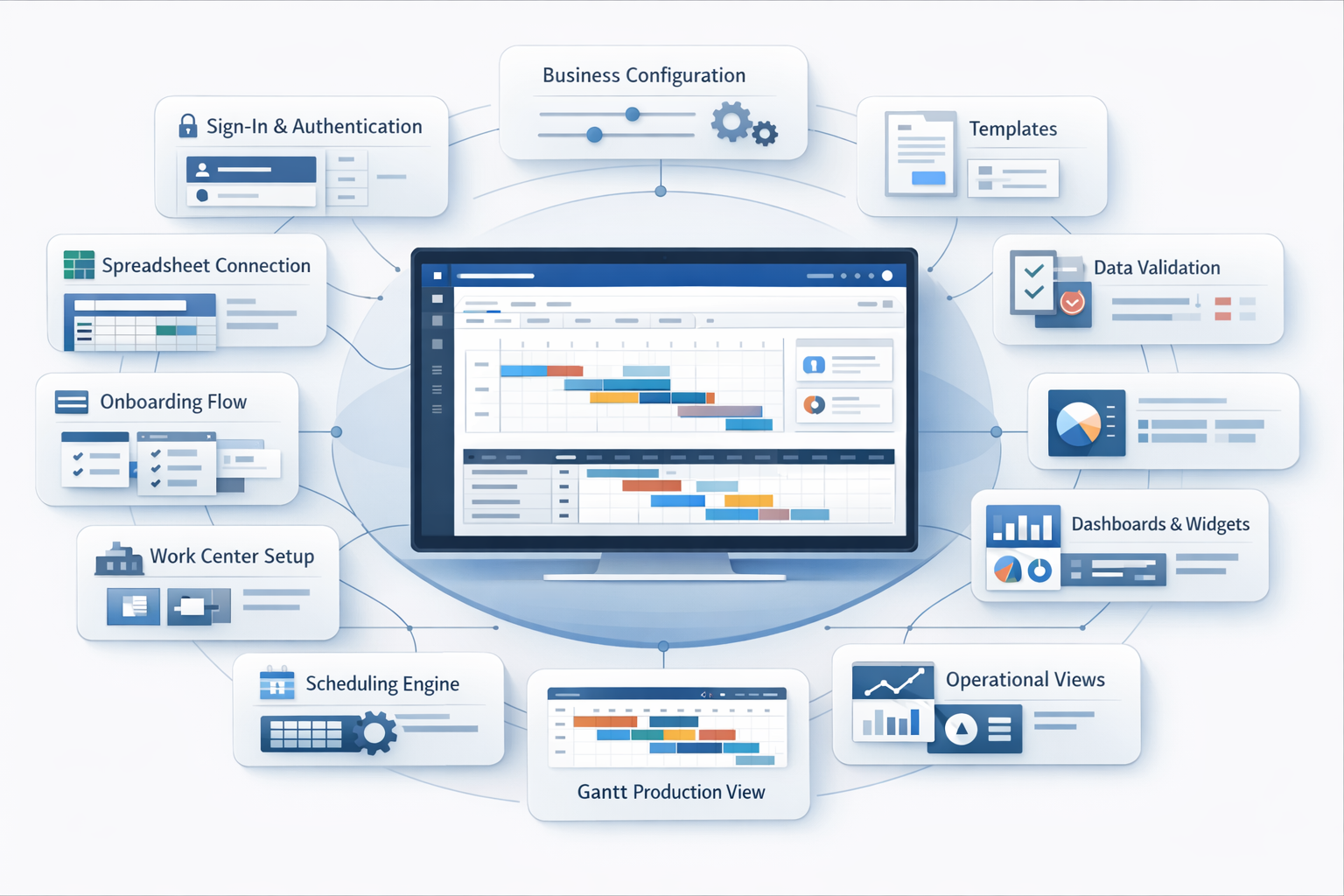
That decision also shaped the product in useful ways. It kept the system close to the data format people already understood, and it gave me a practical base for configuration, scheduling data, and later web-based setup flows.
At the same time, it created its own constraints. When your product grows around spreadsheets, you eventually have to think hard about validation, structure drift, setup quality, and how much flexibility you actually want to expose. That became more obvious in the later web version, where configuration and onboarding started to matter much more.
The Bigger Problem Turned Out To Be Distribution
The main reason I moved toward the web was not that I stopped caring about desktop, or that the desktop version taught me nothing useful.
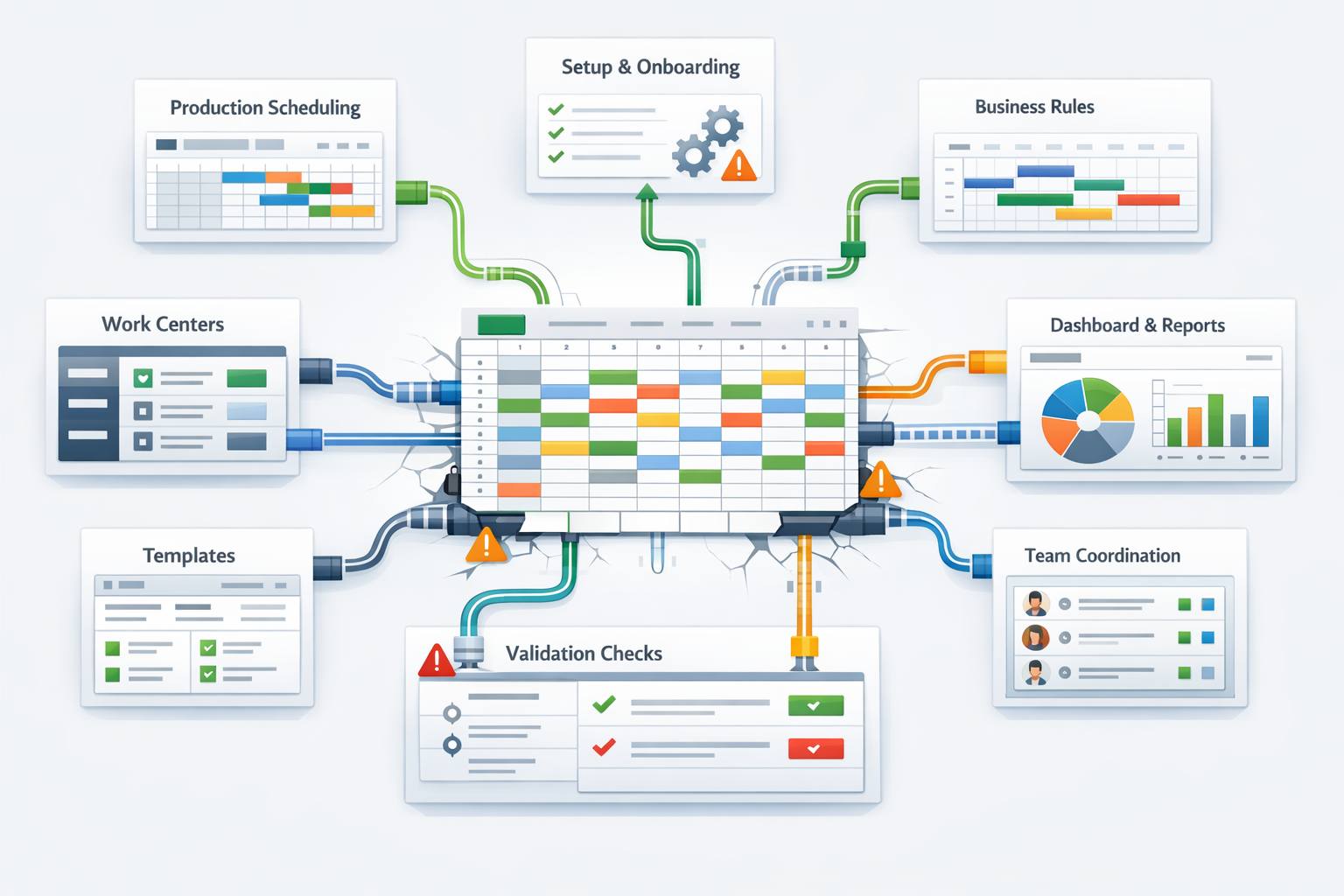
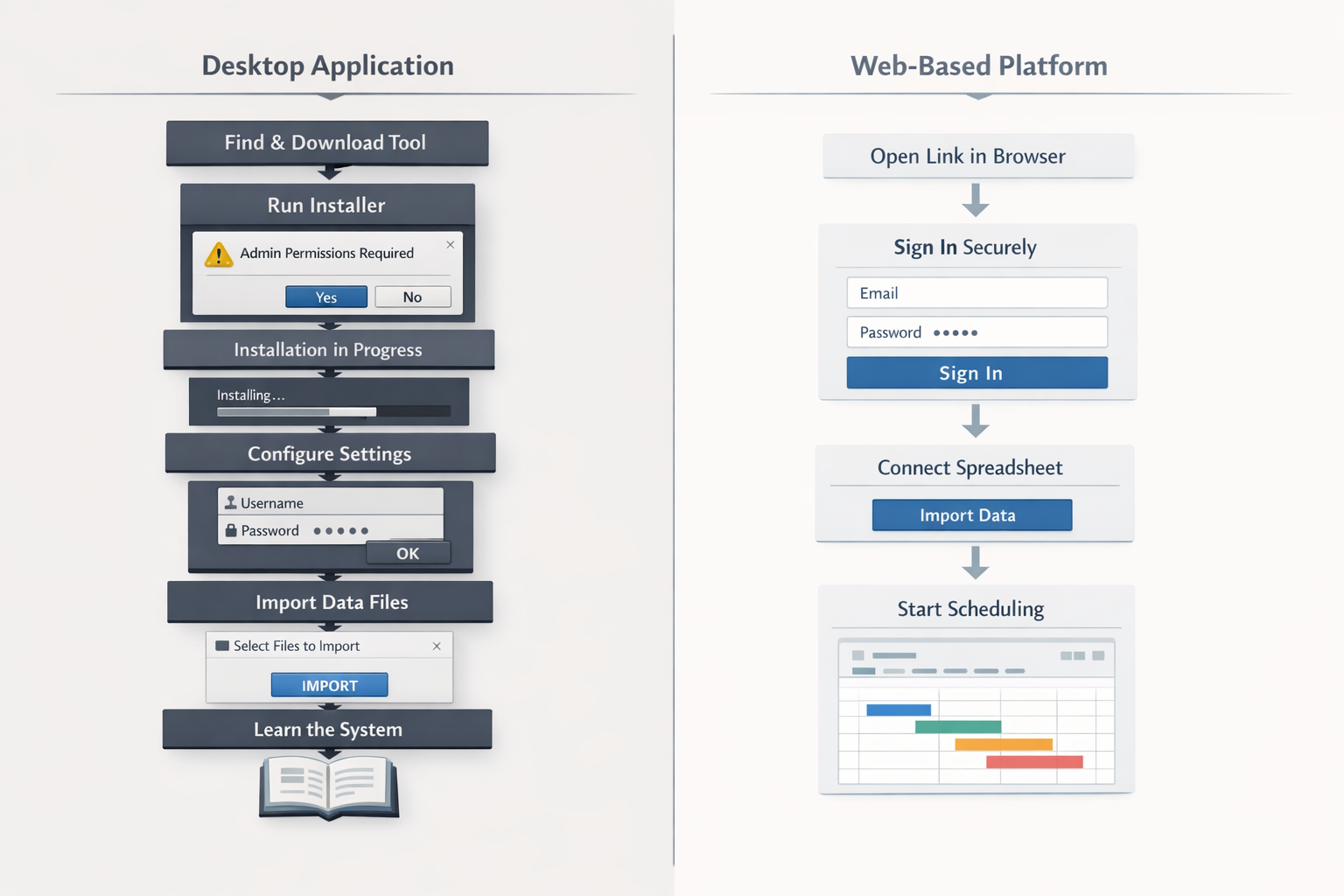
It was that having someone download an app is a lot to ask.
That sounds obvious when I write it now, but it was not obvious enough to me at the start. I was focused on the workflow problem. I was focused on the technical challenge. I was focused on what the tool could do once someone had it.
I was not focused enough on the moment before all of that, the point where someone decides whether they are even willing to try it.
That changed the project for me.
The install step was not a neutral detail. It was part of the product. If the barrier to entry is too high, the architecture underneath it almost does not matter. A desktop app can be the right answer in a lot of cases, but in this case it started to feel like I was asking users to make too big a commitment too early.
That realization pushed me toward a web version.
V2 Changed More Than The Delivery Model
The web version is not just the same idea wrapped in a browser.
What changed in V2 is that I started thinking more seriously about setup, flexibility, and adoption. Instead of centering the product around one installed app, I started building toward a system that could handle onboarding, credentials, configuration, templates, reusable views, and different ways of shaping spreadsheet data into something more usable.
That shift changed the structure of the project.
The newer direction is more modular. It is less about one hard-coded workflow and more about making the path into the product easier to manage. There is more attention on setup flows, business-level configuration, template selection, widget-like views, and dashboard-style usage. The scheduling side still matters, especially the Gantt-style view of work moving through a process, but it sits inside a broader product shape now.
That feels more honest to the actual problem.
If the original pain point was people passing spreadsheet files around to keep operations moving, then the solution cannot only be “replace the spreadsheet.” It also has to answer questions like:
-
How does someone connect their data safely?
-
How much setup is required?
-
How do they understand what is missing or mismatched?
-
How do they get from raw spreadsheet structure to something usable without a lot of manual interpretation?
The web version moves closer to those questions.
What I Would Handle Differently Now
The biggest thing I would change is not a framework choice.
I would take more time to run through prototypes and test with users earlier.
That does not mean I regret building the desktop app. I learned a lot from it, and some of those lessons were only available because I built something real enough to push against. But I do think I committed too early to one delivery model before pressure-testing the path people would take into the product.
I think that is easy to do when the problem is vivid and the build is exciting.
You see the broken workflow. You know you can improve it. A framework clicks with the kind of system you want to build. You start connecting those dots and it feels like momentum. Sometimes it is momentum. Sometimes it is just speed in the wrong direction.
What I trust more now is smaller proof before bigger commitment.
If I were starting this again, I would still pay close attention to the real spreadsheet workflow. I would still keep cost in mind. I would still care about scheduling and visibility. But I would put much more energy into lightweight prototypes, user feedback, and adoption friction before I let the implementation get too far ahead of the product shape.
That is probably the most useful thing this project taught me.
Closing
I still like this project because it taught me in public, even when the audience was mostly me.
V1 taught me how much complexity lives inside desktop software, especially when security, access, and cross-platform behavior start to matter. V2 is teaching me something different, which is that the best technical solution still has to meet people where they are, and sometimes that means reducing commitment before adding capability.
I do not see the move from desktop to web as a clean correction. It feels more like a better question replacing an earlier one.
The first question was, “How do I build a better tool for this workflow?”
The better question turned out to be, “What would make this easier for someone to actually adopt?”
That is the version of the problem I care more about now.
If you have built internal tools around spreadsheet-heavy workflows, or you have had to rethink a project after building too much too early, I would be glad to compare notes. You can find me at zachary-sturman.com, github.com/zsturman, LinkedIn, or by email at Zasturman@gmail.com.
Keep reading
More from the portfolio
Related and recent articles
Automating Linear From Notion
A bidirectional sync engine that keeps Notion and Linear aligned by normalizing their data into shared models, reconciling meaningful changes, and preserving relationships and identity across systems.
March 25, 2026
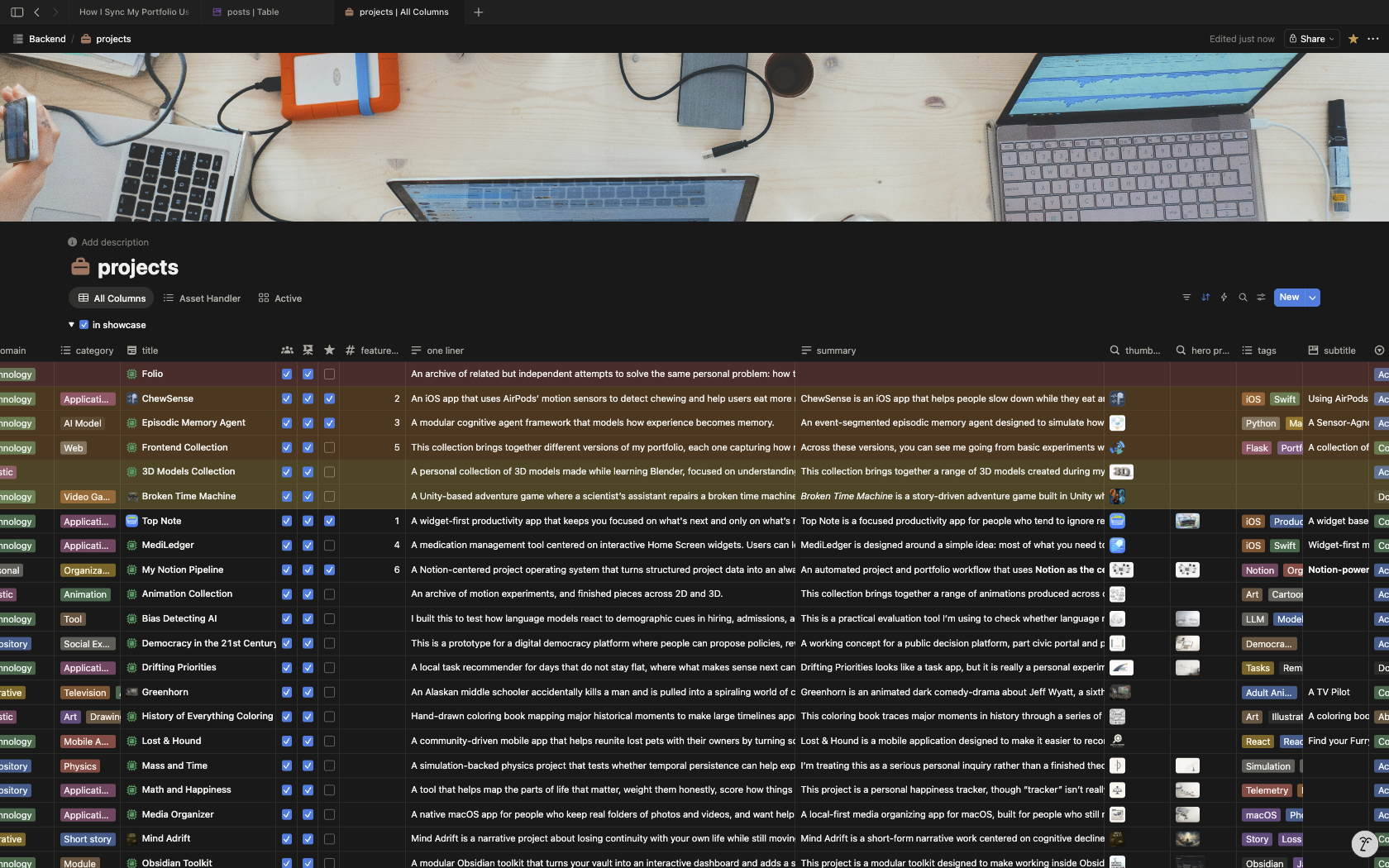
How I Sync My Portfolio Using Notion
How a portfolio can be built as a publishing pipeline, with Notion as the source of truth, n8n creating a JSON handoff, Python scripts normalizing content and media, and Next.js exporting the final static site. The result is a cleaner separation between editing, transformation, and publishing, making the site more predictable and maintainable.
April 8, 2026
The Art of Turning a 90-Minute Task Into a 2-Month Automation Project
The article traces the evolution of four systems - Obsidian + Project Management App, OPE, RPOVault, and Folio - built to keep project metadata, files, and a public portfolio in sync without constant duplication. Each version clarified the value of structured project records, but also exposed the growing maintenance cost of owning every layer, especially around files, media, and editing workflows. The final takeaway is that integrating existing tools like Notion, n8n, GitHub Actions, and Firebase solves the real problem more effectively than continuing to maintain a complex custom application.
April 8, 2026
Building ChewSense - Using Motion Data For An On-Device AI Health Agent
This article traces how ChewSense evolved from early experiments with raw AirPods motion signals into a structured pipeline for session collection, video-assisted labeling, feature extraction, model training, and on-device inference. The core lesson is that the hardest part of applied ML was not just training a model, but building the surrounding system needed to collect trustworthy data, preserve feature parity, and make runtime behavior believable.
April 7, 2026